When choosing a wireless mouse, focus on comfort, hand fit, connection type, battery or power requirements, tracking accuracy, DPI, weight, button layout, and computer compatibility. For everyday work, studying, browsing, and home-office use, a comfortable shape and reliable connection usually matter more than advanced features designed for specialized users.
What Actually Matters When Choosing a Wireless Mouse?
The right wireless mouse depends less on having the most features and more on matching the mouse to how you actually use your computer.
For basic office work, studying, browsing, and general productivity, consider these factors first:
- Hand size and mouse shape
- Grip and long-session comfort
- Wireless connection
- Battery or power requirements
- Tracking and DPI
- Number and placement of buttons
- Weight and portability
- Compatibility with your computer
- The surfaces where you normally use it
A mouse that feels comfortable for several hours can be more useful than one with specifications you rarely use.
What Makes a Wireless Mouse Comfortable?
Comfort depends mainly on the relationship between your hand and the mouse. The shape, size, height, button position, and grip style all influence how your hand rests while working.
If your fingers feel cramped, your wrist is constantly angled, or you need to grip the mouse tightly, the design may not suit you.
For long work sessions, look for a mouse that allows your hand to rest naturally rather than forcing your fingers into an awkward position.
Does Mouse Size Matter?
Yes. Mouse size can affect both comfort and control.
A mouse that is too small may require your fingers to curl more than you prefer. A very large mouse may feel difficult to control if you have smaller hands.
There is no single ideal size for everyone. When choosing a wireless mouse, consider your hand size and how you normally hold a mouse.
If possible, physically testing a mouse can help you determine whether your palm, fingers, and wrist feel comfortable before committing to it.
What Grip Should You Consider?
Your grip affects which mouse shape feels natural.
The three common grip styles are:
- Palm grip: Most of the palm rests on the mouse.
- Claw grip: The palm has less contact while the fingers are more arched.
- Fingertip grip: The mouse is controlled primarily with the fingertips.
A mouse designed for one type of grip may not feel comfortable for another. For office and everyday computing, a shape that supports your natural grip without requiring excessive finger movement is generally a sensible starting point.
Do You Need Bluetooth or a USB Receiver?
The answer depends on your computer and how you plan to use the mouse.
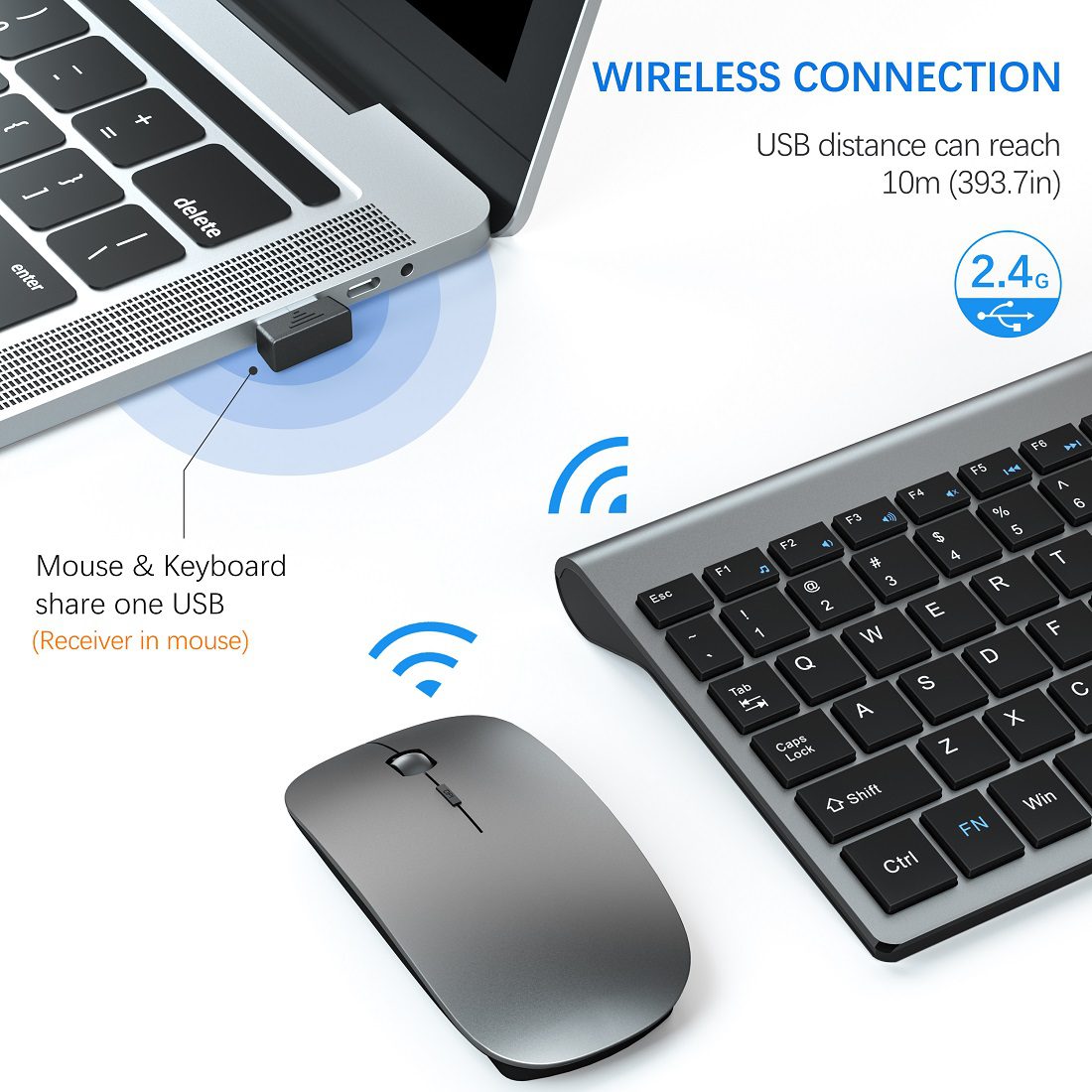
A USB receiver typically connects the mouse through a small receiver plugged into a USB port. This can be convenient for computers where USB connectivity is readily available.
Bluetooth connects directly to compatible computers without requiring a separate USB receiver. This can be useful for laptops with limited USB ports.
Before choosing a wireless mouse, check which connection method it supports and whether your computer has the required hardware.
If you regularly move between computers, also consider how easy it is to reconnect the mouse.
How Important Is Battery Life?
Battery or power requirements matter because a wireless mouse needs a dependable power source.
Some wireless mice use replaceable batteries, while others use rechargeable batteries. Each approach has practical advantages.
With replaceable batteries, you can replace the power source when necessary. With rechargeable designs, you need to remember to recharge the mouse periodically.
Rather than relying only on a manufacturer’s battery-life figure, consider your own usage. Someone who uses a mouse for several hours every day may care more about power management than someone who only uses one occasionally.
Also check whether the mouse can be used while charging if that feature is important to your workflow.
Does DPI Matter for Everyday Work?
DPI, or dots per inch, describes how much the pointer moves on the screen relative to physical mouse movement.
Higher DPI does not automatically mean a mouse is better.
For office work, studying, browsing, documents, email, and other everyday tasks, you generally need predictable and controllable pointer movement rather than extremely high sensitivity.
DPI becomes more important when users have specific preferences for cursor sensitivity, large displays, creative applications, or gaming.
For ordinary productivity, sensor consistency and comfortable control are often more relevant than simply choosing the highest DPI specification.
How Many Buttons Do You Actually Need?
Most everyday users can perform basic computer tasks with the standard left button, right button, and scroll wheel.
Additional buttons can be useful for functions such as browser navigation, shortcuts, or application-specific commands. However, more buttons can also add complexity.
When choosing a wireless mouse, ask whether you will actually use the extra controls.
For office work and studying, a simple button layout may be sufficient. Users who frequently use shortcuts may benefit from additional programmable controls.
Does Mouse Weight Matter?
Weight becomes particularly noticeable when you move the mouse frequently or carry it between locations.
A heavier mouse can feel stable on a desk, while a lighter mouse may be easier to reposition or transport with a laptop.
There is no universally correct weight. Think about where you use the mouse.
For a permanent desktop setup, weight may be a relatively minor consideration. For travel, commuting, classrooms, or shared workspaces, portability can become more important.
What Should You Consider for Long Work Sessions?
For long sessions, comfort should be treated as a primary selection factor rather than an afterthought.
Pay attention to:
- Palm support
- Finger position
- Button resistance
- Scroll-wheel feel
- Mouse height
- Overall shape
- Wrist position
- How much you need to move your hand
Your desk setup also matters. A comfortable mouse cannot completely compensate for poor posture or an unsuitable desk height.
If you spend most of your working day at a computer, prioritize a mouse that feels natural after extended use rather than one that only feels impressive during a short test.
Is the Mouse Compatible With Your Computer?
Always check compatibility before buying.
Consider whether you are using:
- A Windows desktop
- A Windows laptop
- A Mac
- A Chromebook
- Another compatible computer or device
Also check the available connection options. A laptop with only a few ports may make Bluetooth particularly convenient, while a desktop computer may have plenty of USB connectivity.
Compatibility can also depend on the operating system and whether additional software is required for special buttons or features.
Does the Desk Surface Affect Mouse Performance?
Yes. The surface underneath a mouse can affect tracking.
Many modern optical sensors work well on common desk surfaces, but very reflective, transparent, uneven, or unusual materials can sometimes cause tracking problems.
If the mouse behaves inconsistently on your desk, a mouse pad can provide a more predictable surface.
A mouse pad is not necessarily required for everyday use, but it can be useful if your desk material does not provide consistent tracking.
Gaming vs Office vs Everyday Use: What Changes?
The right priorities change depending on the task.
For office work: prioritize comfort, reliable tracking, connection stability, and a practical button layout.
For studying: focus on comfort, simple controls, portability, and compatibility with your laptop or computer.
For laptop use: connection type, size, weight, and portability can become especially important.
For gaming: users may place greater emphasis on sensor performance, DPI adjustment, response characteristics, programmable buttons, and other gaming-specific features.
For everyday browsing: a comfortable shape, dependable tracking, and straightforward controls are usually enough.
You do not necessarily need a gaming-oriented mouse for normal productivity.
What Features Are Worth Paying Attention To?
When comparing wireless mice, separate useful features from specifications that sound impressive but may not affect your experience.
For most users, pay particular attention to:
- Comfort and hand fit
- Connection method
- Power requirements
- Tracking consistency
- Weight
- Button layout
- Computer compatibility
Features such as adjustable DPI, additional buttons, specialized software, or advanced controls become more valuable when you have a specific reason to use them.
What Are Common Mistakes When Choosing a Wireless Mouse?
One common mistake is choosing based only on appearance.
Other mistakes include:
- Selecting a mouse without considering hand size
- Assuming higher DPI automatically means better performance
- Ignoring the connection type
- Forgetting to check computer compatibility
- Choosing too many buttons for simple tasks
- Overlooking battery requirements
- Buying a mouse that is uncomfortable for long sessions
- Assuming a mouse will track equally well on every surface
- Prioritizing specifications over actual daily use
The most useful mouse is usually the one that fits your workflow rather than the one with the longest specification list.
Where a Simple Wireless Mouse Like the TopMate KM9000 May Fit
A product such as the TopMate KM9000 Wireless Mouse can be considered when the goal is straightforward wireless computer use rather than specialized gaming or professional applications.
However, specifications should always be checked on the current product information before making a purchase. If details such as DPI, battery life, dimensions, weight, connectivity technology, or button count are not clearly verified, they should not be assumed.
The same principle applies to any wireless mouse: evaluate the features that are actually documented and relevant to your computer setup instead of relying on generalized claims.
Quick Decision Checklist
| Your use | What to prioritize |
|---|---|
| Office work | Comfort, reliable connection, tracking, practical buttons |
| Studying | Comfort, simplicity, portability, compatibility |
| Laptop use | Size, weight, connection type, portability |
| Travel | Compact design, weight, power convenience |
| Long work sessions | Hand fit, grip, shape, button comfort |
| Basic everyday computing | Reliable tracking, comfortable shape, simple controls |
Practical Takeaway
Choosing a wireless mouse starts with your actual computer habits. For most people, comfort, hand fit, connection reliability, power requirements, tracking, weight, and compatibility deserve attention before advanced specifications.
Start by identifying where and how you use the mouse. Then compare only the features that support those tasks. A simple wireless mouse can be entirely adequate for everyday computing when it fits your hand, works reliably with your computer, and feels comfortable throughout your normal workday.
FAQ
Is a wireless mouse better than a wired mouse for office work?
Neither connection type is automatically better for every office setup. A wireless mouse reduces cable clutter and can make a desk easier to manage, while a wired mouse avoids battery management. The practical choice depends on whether you value cable-free movement or prefer a mouse that does not require separate power management.
Can a wireless mouse interfere with other wireless devices?
Wireless devices are designed to operate within established communication systems, but connection problems can occasionally occur because of interference, distance, hardware, or environmental conditions. If a mouse behaves inconsistently, checking its distance from the computer, reconnecting it, replacing or charging its battery, and checking the connection method can help identify the problem.
Should you buy a mouse based on DPI alone?
No. DPI is only one part of mouse performance. For everyday computing, comfortable hand fit, predictable tracking, connection reliability, and button usability may have a greater practical effect. A very high DPI specification does not automatically make a mouse more suitable for office work, studying, or browsing.
edit button to change this text.
How can you tell if a wireless mouse is too small or too large?
Pay attention to how naturally your hand rests on the mouse. If your fingers feel cramped, your palm has little support, or you must constantly adjust your grip, it may be too small. If your hand struggles to control the mouse comfortably or your fingers cannot reach the buttons naturally, it may be too large.