Opening Real-World Scenario
Imagine a first-time rider entering a grocery store parking area. Cars are moving nearby, shopping carts occupy part of the walkway, and the rider needs to make several slow turns before reaching the entrance. The steering control suddenly matters as much as the scooter’s size. A tiller requires a different hand movement from a handlebar, and that difference can affect turning, parking, reversing, and low-speed control.
Neither system is automatically easier for every rider. The better choice depends on how the rider positions their hands, how much steering input they prefer, how the scooter responds to movement, and where they expect to ride.
Why Steering Design Matters
A mobility scooter’s steering system connects the rider’s hand movements to the front steering assembly.
That connection needs to feel predictable. Small steering inputs should produce manageable directional changes, while larger inputs should allow the rider to complete a turn without excessive effort or awkward posture.
The control layout also affects how riders:
- Start and stop
- Make low-speed turns
- Reverse
- Park
- Navigate doorways
- Approach shopping carts or counters
- Maintain a forward-facing posture
- Reach the throttle and other controls
A scooter with a small turning radius may still feel difficult to control if the steering interface does not suit the rider. Conversely, a scooter with a larger turning radius may feel manageable when the rider can comfortably control the steering and anticipate its response.
This is why mobility scooter steering controls deserve attention alongside width, weight, wheel size, and motor performance.
Scenario 1: Tight Indoor Spaces
Picture a rider entering a pharmacy or shopping center. The route includes narrow aisles, doorways, display stands, and pedestrians.
Here, mobility scooter maneuverability becomes particularly important.
A tiller allows the rider to steer by moving a central control column or its handles. Small changes in hand position can change the direction of the front wheel or wheels.
A handlebar-style system uses a broader horizontal steering control. The rider typically turns the bar in the desired direction, similar to the basic steering action used on other handlebar-controlled vehicles.
For tight spaces, neither design guarantees easier maneuvering. The scooter’s turning radius, overall width, wheelbase, steering angle, and speed control have a major influence.
A compact scooter with either control arrangement may be easier to maneuver than a larger scooter with a wide turning circle.
Scenario 2: Longer Outdoor Rides
Now consider a rider traveling along a paved neighborhood route for several miles.
The steering experience changes because the rider may spend more time maintaining a straight course rather than making frequent sharp turns.
A central tiller can provide a clear steering reference because the rider’s hands remain positioned around the central control area. Many conventional mobility scooters use this arrangement.
A handlebar can provide a familiar horizontal grip for riders who naturally prefer steering through both hands across a wider control surface.
For outdoor riding, the rider should also consider the scooter’s suspension, tire size, wheelbase, steering response, and maximum speed. Steering design alone does not determine how stable or comfortable a scooter feels over a longer journey.
Scenario 3: Frequent Stops and Starts
Consider another situation: a rider visits a busy shopping district where they repeatedly stop, start, reverse, and reposition.
The steering system now interacts closely with the throttle and brake controls.
With a tiller, the rider can keep both hands around the central control area while making small steering corrections. Depending on the scooter design, the throttle may sit on or near the tiller.
A handlebar can provide a wider hand position, but control placement varies substantially between models. Some designs place acceleration controls within the rider’s thumbs’ reach, while others use different control arrangements. tiller steering vs handlebar
During frequent stops, the rider should be able to release the accelerator without accidentally changing steering direction. The control layout should also allow the rider to look ahead rather than constantly looking down at the controls.
Scenario 4: Riders With Different Hand Positions or Strength
Consider a rider who prefers keeping both hands close together. Another rider may feel more natural holding a wider horizontal bar.
That difference can influence which mobility scooter hand controls feel intuitive.
A tiller usually concentrates steering and control functions around a central area. This can provide a compact control zone.
A handlebar spreads the hand positions farther apart. Some riders may find that position familiar and easy to understand, while others may prefer the closer hand placement of a tiller.
Grip shape also matters. So do throttle resistance, lever position, control spacing, and the ability to adjust the steering column or handlebar.
Riders should evaluate the complete control layout rather than judging the steering system by its appearance.
What Is a Tiller?
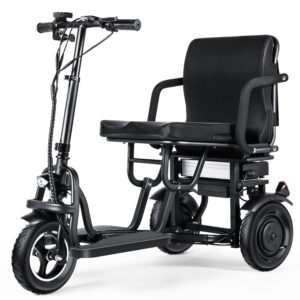
A mobility scooter tiller is the steering column that extends upward from the front steering mechanism toward the rider.
The rider controls direction by moving the tiller left or right. Depending on the model, the tiller may also contain:
- Throttle controls
- Horn button
- Speed adjustment
- Battery indicator
- Lighting controls
- Key switch
- Display
Many scooter tillers can be adjusted for angle or position. That adjustment changes the distance between the rider and the controls.
A properly positioned tiller allows the rider to steer without excessive forward leaning or reaching.
What Is Handlebar Steering?
A mobility scooter handlebar uses a horizontal bar as the primary steering interface.
The rider turns the handlebar to direct the front wheel or steering assembly. The design may resemble the basic steering arrangement found on bicycles, although scooter handlebars and their control systems vary.
Handlebar steering can provide a wider grip position and a clear left-right steering movement. However, the rider must still evaluate throttle location, control resistance, handlebar width, steering angle, and overall scooter geometry.
Some compact mobility products use handlebar-like controls, while conventional mobility scooters more commonly use tiller arrangements.
Side-by-Side Control Comparison
| Feature | Tiller Steering | Handlebar Steering |
|---|---|---|
| Hand position | Usually closer together around a central tiller | Generally wider across a horizontal bar |
| Steering input | Move the tiller left or right | Rotate the handlebar |
| Control placement | Often integrated into the tiller | Usually integrated around the handlebar |
| Low-speed turning | Depends on steering geometry and turning radius | Depends on steering geometry and turning radius |
| Parking | Central control position can provide a clear steering reference | Broad grip can make steering direction intuitive for some riders |
| Reversing | Requires controlled tiller movement and awareness of rear clearance | Requires controlled handlebar movement and awareness of rear clearance |
| Posture | Depends on tiller angle and reach | Depends on handlebar height and reach |
| Adjustability | Many models provide tiller-angle adjustment | Adjustment depends on the scooter design |
| Main consideration | Control reach and hand position | Grip width and control accessibility |
The table describes general design characteristics. Individual scooters can differ significantly.
What Other Specifications Matter?
Steering design should never be evaluated separately from the scooter’s mechanical specifications.
Turning radius
A smaller turning radius generally means the scooter needs less space to complete a turn. This can matter more indoors than the type of steering interface itself.
Scooter width
Measure the scooter’s overall width against doorways, elevators, shopping aisles, and storage areas you use regularly.
Steering adjustment
Check whether the tiller or handlebar can move toward or away from you. Even a small adjustment can change the rider’s posture and control reach.
Control placement
Look at the exact position of the accelerator, brake, horn, lights, display, and speed controls.
Scooter weight
A heavier scooter may require more effort to transport and maneuver manually when powered off. Weight does not directly determine steering difficulty while the motor is operating, but it matters for the overall ownership experience.
Steering response
A scooter that responds sharply to small inputs may require a different technique from one with slower steering. Test this at low speed before riding in crowded areas.
How to Test Steering Before Buying
If possible, test the scooter in an open area before making a purchase.
Start by driving slowly in a straight line. Check whether you can keep the scooter centered without constantly correcting the steering.
Next, make a wide left turn followed by a wide right turn. Gradually reduce the turning space while maintaining a safe speed.
Then test:
- A U-turn
- Reversing
- Parking beside a fixed reference point
- Approaching a doorway
- Starting and stopping
- Reaching the controls while looking forward
Pay attention to your hands and shoulders. You should not need exaggerated movements to keep the scooter on course.
Also check whether the throttle and other controls remain accessible during a turn.
TopMate Product Context
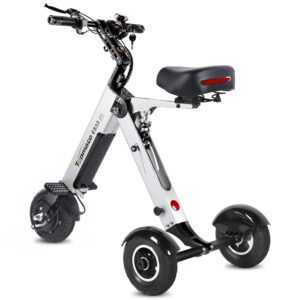
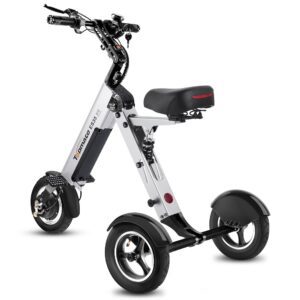
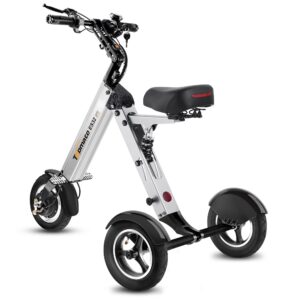
TopMate’s compact mobility products use steering arrangements that should be evaluated according to the specific model rather than assumed from the brand name.
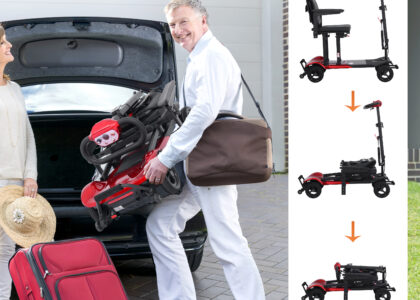
For example, the published TopMate ES33 manual identifies a front steering assembly and provides overall dimensions of 94.5 × 53 × 91 cm (37.2 × 20.8 × 35.8 inches). Its documentation also specifies an 8-inch front wheel, a 250W brushless hub motor, and a maximum load of 100 kg (220.4 lb).
These specifications provide useful context for evaluating the scooter’s overall footprint and control layout, but they do not establish a universal turning radius or prove that its steering will suit every rider.
When comparing a TopMate scooter, check the current model documentation for the actual steering arrangement, control locations, adjustment range, overall width, and turning specifications rather than estimating them from photographs.
Who May Prefer Each Design?
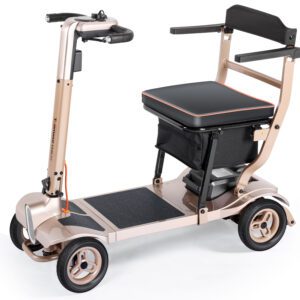
A tiller-controlled scooter may suit riders who prefer a central steering column with integrated controls and a compact hand position. It can also be useful for riders who find an adjustable tiller easier to position relative to their body.
A handlebar-controlled scooter may suit riders who naturally prefer a wider grip and a more familiar left-right bar movement. Some users may find that hand position intuitive, particularly during low-speed steering. tiller steering vs handlebar
For beginners, neither system is automatically easier. A beginner should prioritize predictable steering response, accessible controls, suitable speed settings, and a scooter size that matches the intended environment.
The same principle applies to seniors and caregivers. The relevant question is not which design is universally superior, but which control arrangement allows the particular rider to steer, accelerate, stop, and reverse with consistent movements and a comfortable posture.
Final Takeaway
The difference between tiller steering vs handlebar steering is primarily the way the rider’s hand movement reaches the steering mechanism.
Tiller steering concentrates the controls around a central column and remains common on mobility scooters. Handlebar steering provides a broader horizontal grip and may feel more natural to riders who prefer that hand position.
Neither design guarantees easier control. Turning radius, scooter width, steering adjustment, control placement, speed, wheelbase, and rider technique all influence the actual experience.
The most useful test is simple: drive the scooter slowly, make controlled turns, reverse, park, and operate the controls while maintaining a comfortable forward-facing posture. The steering system that lets the rider perform those tasks smoothly may be the more suitable option.
FAQ
What is tiller steering on a mobility scooter?
Tiller steering uses a central steering column that the rider moves left or right to control the scooter’s direction. The tiller often houses the throttle, horn, speed controls, battery indicator, and other functions.
What is handlebar steering on a mobility scooter?
Handlebar steering uses a horizontal bar that the rider turns left or right to direct the scooter. The grips and nearby controls provide the rider with a wider hand position than a traditional tiller.
Is tiller steering easier for beginners?
Tiller steering may feel intuitive for some beginners because it provides a central control layout. However, ease of use depends on the rider’s hand position, steering response, control accessibility, scooter dimensions, and experience.
Does handlebar steering make a mobility scooter easier to turn?
Not necessarily. Handlebar design affects how steering input feels, but turning radius, wheelbase, steering angle, scooter width, and speed have a greater influence on actual maneuverability.

-scaled-2-420x300.jpg)